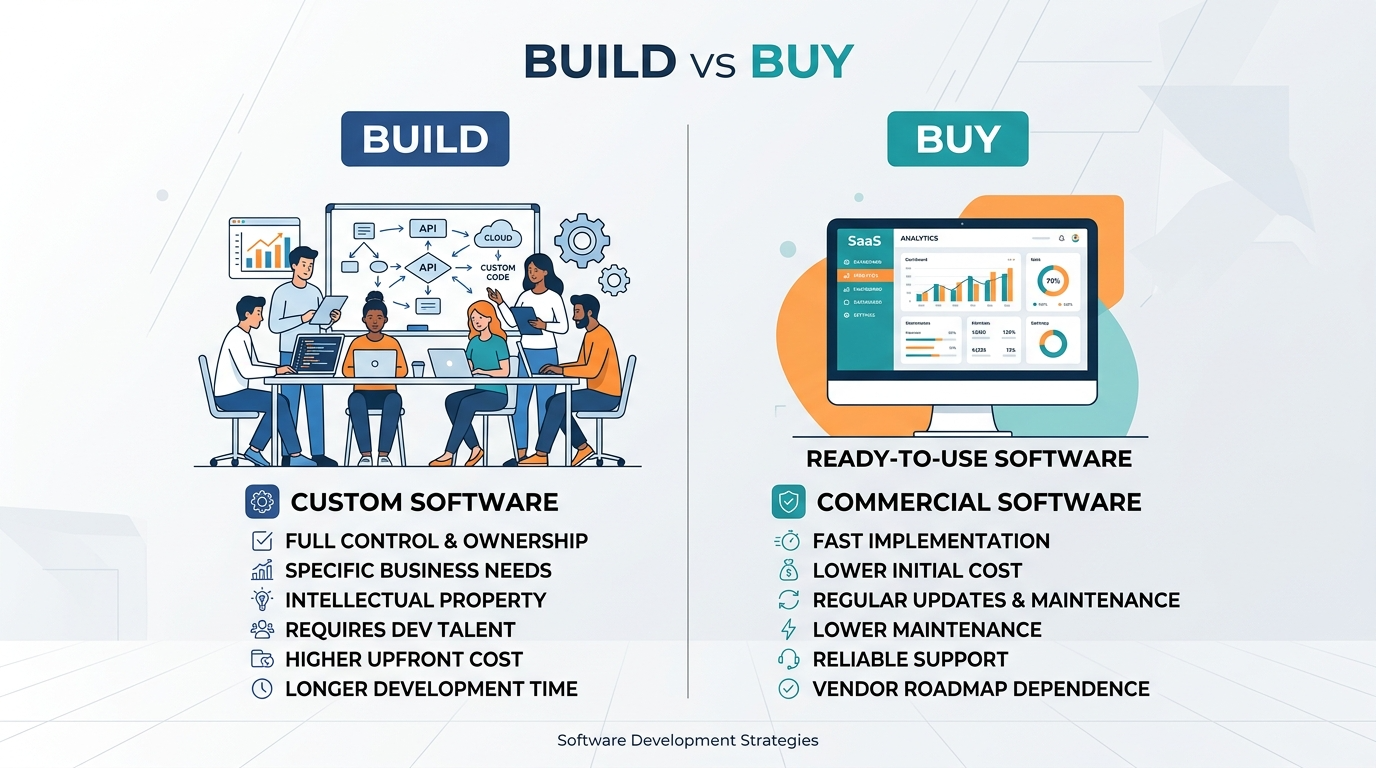
The $800K Question Nobody Asks Properly
Every growing Canadian company eventually faces this decision: do we buy an off-the-shelf platform and adapt our processes to fit it, or do we build custom software that fits our processes exactly?
Most companies get this wrong — not because they choose the wrong option, but because they compare sticker prices instead of total cost of ownership. A $50K/year SaaS licence looks cheaper than a $400K custom build. Until year three, when the licence has climbed to $85K, you're paying $30K/year for integrations the vendor doesn't support natively, and you've spent 2,000 staff hours on workarounds for features the product was never designed to handle.
The real cost of software is never the purchase price. It's the cost of living with it for 7-10 years.
Facing a build vs buy decision right now? Talk to one of our engineers. We'll run through the TCO model with you — and sometimes the honest answer is "buy." We'll tell you that too.
Total Cost of Ownership: The Full Picture
Here's what a proper TCO comparison looks like. Most companies only consider rows 1-2 and wonder why the budget exploded.
Off-the-Shelf Software (True Costs)
| Cost Category | Year 1 | Annual (Years 2-5) | |---|---|---| | Licence fees | $50K-$150K | $55K-$180K (5-15% annual increases) | | Implementation/configuration | $30K-$200K | — | | Integration development | $40K-$120K | $15K-$40K maintenance | | Training | $10K-$25K | $5K-$10K (staff turnover) | | Workarounds for missing features | $20K-$60K | $10K-$30K | | Data migration | $15K-$50K | — | | Customisation requests to vendor | $0 (not available) or $50K+ | Variable | | Switching costs (when it doesn't work) | — | $200K-$500K |
5-year TCO for a mid-market SaaS platform: $400K-$1.2M
Custom Software (True Costs)
| Cost Category | Year 1 | Annual (Years 2-5) | |---|---|---| | Design and development | $200K-$600K | — | | Infrastructure (cloud hosting) | $12K-$36K | $12K-$36K | | Maintenance and updates | — | $40K-$80K (15-20% of build cost) | | Training | $5K-$15K | $3K-$8K | | Feature additions | — | $30K-$60K | | No licence fee increases | $0 | $0 |
5-year TCO for custom-built software: $450K-$1.0M
The numbers overlap. That's the point. The decision isn't about which option is cheaper — it's about which option gives you what you actually need.
When to Build Custom
Build when your process IS your competitive advantage.
-
Your workflow is your differentiator — if the way you do things is what makes you better than competitors, forcing that workflow into someone else's software model destroys your edge. An Ontario logistics company we worked with tried three off-the-shelf TMS platforms over 5 years before building custom. Their routing algorithm — the thing that won them contracts — couldn't be replicated in any commercial product.
-
Integration complexity is high — if your software needs to pull from 5+ internal systems (ERP, SCADA, LIMS, CRM, legacy databases), custom integration layers built around your specific data model will always outperform generic connectors.
-
Regulatory requirements are specific — Canadian companies in health, finance, and government face compliance requirements (PIPEDA, PHIPA, OSFI guidelines) that off-the-shelf products may handle partially at best. Custom software lets you build compliance into the architecture rather than bolting it on.
-
You've outgrown the platform — if your team spends more time working around the software than working in it, you've hit the ceiling. For more on what government-specific compliance looks like, see our guide to winning government software contracts in Ontario.
-
Data residency matters — Canadian data residency requirements mean your data must stay on Canadian servers. Many SaaS vendors can't guarantee this, especially for analytics pipelines and backup systems that may route through US infrastructure.
When to Buy Off-the-Shelf
Buy when the problem is well-understood and your process is standard.
- Accounting and finance — unless you're a fintech company, buy QuickBooks, Xero, or NetSuite. Accounting standards are universal. Don't build a general ledger.
- Email and collaboration — Microsoft 365 or Google Workspace. Period.
- CRM for standard sales processes — if your sales process follows a standard pipeline model, Salesforce or HubSpot will work. (If your sales process is unusual, custom may be warranted.)
- HR and payroll — especially in Canada, where payroll tax compliance across provinces is genuinely complex. Buy from a Canadian vendor who handles this natively.
The pattern: buy when you're solving a problem that every company has, and the off-the-shelf product handles 90%+ of your requirements without modification.
The Hidden Costs of Off-the-Shelf That Nobody Warns You About
Vendor lock-in — your data is in their format, on their platform. Migrating away costs $200K-$500K and 6-12 months. Vendors know this, which is why licence renewals come with 15-25% increases and a shrug.
Feature roadmap misalignment — you need Feature X. It's been on the vendor's roadmap for two years. It's still "coming soon." Meanwhile, your team has built three spreadsheet workarounds that nobody documents and everyone depends on.
Per-seat pricing at scale — SaaS pricing looks reasonable at 50 users. At 500 users, you're paying more annually than a custom build would have cost to develop from scratch. And you still don't own anything.
Integration tax — every integration between your SaaS platform and your other systems is a potential failure point. When the vendor updates their API (and they will, without asking you), your integrations break. Budget $15K-$40K/year for integration maintenance on any off-the-shelf platform.
Configuration debt — years of customisation settings, workarounds, and plugins create a configuration so complex that upgrades become risky and new staff can't understand the system without months of training.
Not sure which side your situation falls on? Talk to an engineer — we build custom software for Ontario companies, but we'll tell you honestly when buying makes more sense.
Vendor Evaluation: 7 Questions to Ask Before You Buy
If you decide to buy, ask these before signing:
- Where is my data stored? — if they can't confirm Canadian data centres for all services including backups, analytics, and DR, that's a problem.
- What's the contractual price increase cap? — get it in writing. "Market rate adjustments" is code for "whatever we want."
- Can I export all my data in a standard format? — CSV export of a subset is not sufficient. You need full data portability.
- What's the SLA, and what happens when they miss it? — financial penalties, or just "we're sorry"?
- How many active Canadian customers do you have? — a US-centric vendor will deprioritise Canadian compliance features.
- What does your API deprecation policy look like? — 6-month notice minimum. Anything less and your integrations are perpetually at risk.
- What happens to my data if you get acquired or shut down? — data escrow or guaranteed export periods should be contractual, not verbal.
The Decision in One Sentence
If the software IS your business or directly enables your competitive advantage, build it. If the software supports a process that's the same everywhere, buy it.
Most Ontario companies we work with end up doing both: buying platforms for commoditised functions (finance, HR, email) and building custom for the 2-3 systems that define how they actually operate.
Droz Technologies builds custom enterprise software for Canadian companies — web platforms, internal tools, data systems, and integrations. We work with companies that have outgrown their off-the-shelf solutions and need something that actually fits.
Bring your specific situation. We'll map out the TCO comparison for your use case and give you a straight answer — build, buy, or hybrid. No agenda beyond getting you to the right decision.
Ready to apply this?